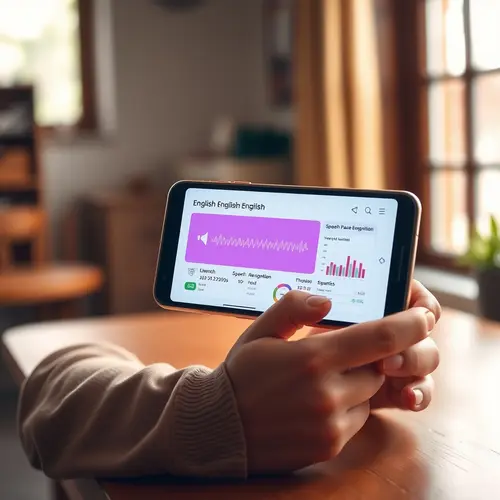
Ecommerce equipment for teachers is not about turning a classroom into a warehouse. It is the small set of tools that helps an educator photograph a resource, record a lesson, package a digital file, and deliver it without losing time or quality. The right setup can fit on a desk, cost less than a weekend away, and grow one product at a time.
Teachers already have subject knowledge, lesson files, and a sense of what students need. What they often lack is a repeatable production process. Choosing ecommerce equipment for teachers starts with the product, not the camera. This guide covers seven practical purchases, a simple budget, and the privacy and copyright checks that protect a small education business.
What Ecommerce Equipment for Teachers Actually Means
Ecommerce equipment for teachers includes any tool used to create, list, or fulfill a teaching product. That can be a camera for product photos, a microphone for a video lesson, a scanner for worksheets, or a storage system for printed bundles. The list should follow the product, not a generic influencer setup.
Start by naming the product you want to sell. A printable worksheet needs a scanner, a clean surface, and good light. A recorded mini-lesson needs a camera, a microphone, and a quiet room. A physical classroom kit needs labels, packaging, and a shipping scale. Buying equipment before you know the product usually leads to unused gear.
Write one sentence that describes the buyer and the outcome. For example: “I sell printable reading games to first-grade teachers who need ten-minute centers.” That sentence tells you which photos, file formats, and delivery tools matter. It also keeps the equipment budget honest.
Start With the Sales Channel
The sales channel decides much of your equipment list. A marketplace may handle checkout and file delivery, so you can focus on creating a strong cover image and a clear preview. Your own store gives you more control but adds payment, tax, email, and file-hosting decisions. A hybrid model can work, but it doubles the admin work.
If you search for ecommerce equipment for teachers, filter the list by your sales channel. Before you buy anything, read the marketplace’s file requirements. Check image dimensions, file size limits, accepted formats, and refund rules. A tool that cannot export the required format is not a bargain. The same rule applies to your own store: confirm how digital files are delivered and how customers receive updates.
A sensible ecommerce equipment for teachers budget includes a contingency. Keep the first setup simple. One product, one sales page, one delivery method, and one way to collect questions. Complexity can wait until you have sales. A teacher who ships a clean product every month will learn faster than a teacher who spends three months building a perfect storefront.
7 Smart Buys for a Small Studio
Good ecommerce equipment for teachers is portable, repairable, and easy to store. These seven items cover the most common teaching products: printables, digital lessons, video mini-courses, and small physical kits. Before you buy in this order, compare discount teacher supply options and build a starter list from our essential school supplies checklist.
1. A camera or phone with a clean lens
A recent phone is enough for most product photos and short videos. Add a simple tripod and clean the lens before every session. Natural window light beats an expensive lens in a dark room. If you record lessons, frame the shot at eye level and keep the background uncluttered.
2. Two soft light sources
Soft light makes worksheets and printed materials look professional. A pair of inexpensive LED panels or even two daylight lamps can remove harsh shadows. Place them at an angle, not directly in front of the product. Avoid mixing daylight and warm room light in the same shot.
3. A USB microphone
Clear audio matters more than cinematic video for online teaching. A basic USB microphone reduces room echo and makes narration easier to understand. Record a ten-second test, listen with headphones, and adjust the distance before you record a full lesson.
4. A flatbed scanner or scanning app
Scanned worksheets should look clean, straight, and readable. A flatbed scanner handles small cards and textured pages well; a phone scanning app can work for quick drafts. Save a master copy at high resolution and export a smaller file for buyers.
5. A labeled storage system
Keep source files, exports, and product photos in separate folders with clear names. Use a simple version rule such as v01, v02, and final. A storage system is not glamorous, but it prevents the most common mistake: selling an old file by accident.
6. A small packing station
If you sell physical kits, set up a dedicated table with labels, bags, tape, and a scale. Batch similar orders and check each package against a printed list. A packing station reduces errors and keeps inventory visible.
7. A checkout and file-delivery tool
Use a payment and delivery tool that supports digital files, taxes, and receipts. Test the entire purchase with a real card or a sandbox account. Confirm that the buyer receives the file, the receipt, and a way to ask for help. A broken delivery link ruins trust faster than a plain cover image.
Build a Budget You Can Defend
A starter setup does not need a studio. Set a cap for each category and stop when the product can be made. The table below shows a sensible range for a teacher selling digital resources from home. Prices vary by country and season, so treat the numbers as planning ranges rather than quotes.
| Item | Starter range | Buy it when |
|---|---|---|
| Phone tripod and mount | Low | You need steady product photos or video |
| Two soft lights | Low to medium | Your current photos have hard shadows |
| USB microphone | Low to medium | You record narration or live lessons |
| Scanner or scanning app | Low | You sell printables or printed cards |
| External storage | Low | Your project files exceed local disk space |
| Packing station | Low | You ship physical kits |
| Checkout and delivery | Monthly fee | You are ready for a paid test |
Before you compare ecommerce equipment for teachers, list the tools you already own. Add a contingency of ten to twenty percent. Equipment breaks, shipping supplies run out, and a file format changes. A small buffer prevents a minor problem from becoming a launch delay. Keep receipts and track the total against your first sales so you know when the setup has paid for itself.
Set Up a Simple Production Routine
The best ecommerce equipment for teachers is the item you will actually use every week. A routine turns equipment into output. Choose one day for planning, one for creation, and one for listing and promotion. On creation day, make the product before you open social media. On listing day, write the title, description, preview, and file notes from the buyer’s point of view.
Use a checklist for every product: learning objective, grade level, file formats, answer key, terms of use, preview images, and delivery test. The checklist prevents missing pieces and makes it easier to hand off a task later. Keep the checklist in the same folder as the source file.
After the first sale, ask the buyer one question: what almost stopped you from buying? The answer often reveals a missing preview, an unclear grade level, or a file that was hard to open. Fix the highest-friction item before you make the next product.
Protect Student Privacy and Copyright
Treat ecommerce equipment for teachers as a business expense, not a hobby purchase. Do not use student work, names, faces, or classroom photos without written permission. Follow your school district’s policy even if the product is sold outside school hours. Blur or remove identifying details, and keep permission records with the product file.
Check the license for every image, font, template, and clip you use. A resource that includes a copyrighted image can create a costly problem even if the lesson itself is original. The U.S. Copyright Office’s fair use index explains the factors courts consider, but it is not a substitute for permission or legal advice.
Write clear terms of use for buyers. State what the buyer may print, share, or edit. A single-classroom license is different from a school-wide license. Clear terms reduce refund requests and protect the value of your work.
Also protect your own files. Keep backups in two places, use a strong password, and avoid sharing master files through informal messages. If you collaborate, agree in writing on who owns the final product and how revenue is split.
Measure What Matters
Review your ecommerce equipment for teachers every quarter and sell what you no longer use. Track a small set of numbers: views, conversion rate, refunds, delivery errors, and time per product. Views without conversion may mean the cover or title is unclear. High refunds may mean the preview overstated the product. Delivery errors usually point to a broken link or an unsupported file type.
Review the numbers once a month. Choose one fix, not five. Improve the preview, rewrite the first line of the description, or simplify the file structure. Small changes are easier to measure and less likely to break a working page.
A calm, repeatable process matters more than a room full of ecommerce equipment for teachers. Ecommerce equipment for teachers should remove friction, not create a hobby. Buy the tool that solves the next bottleneck, test it on one product, and keep the setup portable. A quiet corner, clean light, clear audio, and a reliable checkout can support a serious education business without a studio lease.
When the first product is live, resist the urge to buy more gear. Use the revenue to improve the product, the preview, or the delivery experience. Equipment is a multiplier; a clear offer and a useful resource are the foundation. That order keeps the business sustainable.
Checklist Before You Buy Anything
- Name the product and the buyer in one sentence.
- Read the marketplace’s file and image requirements.
- List the tools you already own.
- Buy only the item that removes the next bottleneck.
- Test the buyer’s delivery experience before launch.
- Keep permission records for images, fonts, and student work.
- Set a monthly cap and track the setup against sales.
The right ecommerce equipment for teachers is the smallest setup that can produce a clean, consistent product. The right ecommerce equipment for teachers removes friction from the first sale. Use the checklist with every new product. It keeps the equipment list tied to revenue instead of excitement. A teacher who can produce a clean resource, describe it honestly, and deliver it reliably has more than a side project. That teacher has a repeatable ecommerce process.
What ecommerce equipment for teachers should I buy first?
Buy the item that removes your current bottleneck. A printable seller usually needs a scanner and clean light first, while a video seller needs a microphone and a steady camera. Test the sales channel before adding more gear, and confirm the file format the buyer will receive.
How much does a starter setup cost?
A small home setup can start with a phone tripod, two soft lights, a scanner app, and a basic microphone. Costs vary by country and product type, so set a cap for each category and buy only what the first product requires.
Can teachers sell digital resources without a business license?
Rules vary by location and income level. Check your local business registration, tax, and school district policies before you launch. Keep records of permission for student work and third-party images, and ask a local advisor when your sales grow beyond a small side project.
About the Author